If you want to achieve complete recording of activities throughout the day, you can specify a so-called break and stop project in the configuration. This break or stop project serves only to fill gaps in time recording. The project should be seen as a "gap filler" for idle times. Automated functions such as the comment query are not intended for this purpose.
There is a standard project type for "idle times" that you can use for your projects, which essentially acts as a "gap filler."
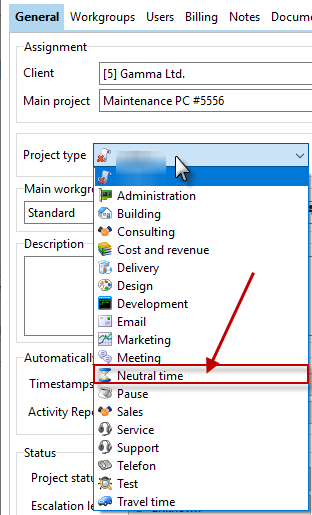
It is best to also name a project in the Project Manager "Idle Time," which you can create as a break and/or stop project under Configuration, "Users" section, "Projects" tab.
