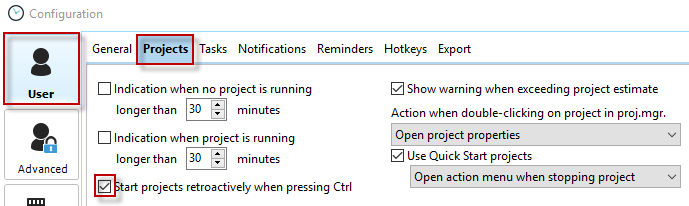
First, activate the "Start projects retroactively" option in Configuration -> User -> General.
Then hold down the Ctrl key in the Project Manager while switching to another project. This allows you to stop the current project retroactively and start the new project from that point on. This function is particularly useful if, for example, you have forgotten to switch to another project.