You need a license code to activate Xpert-Timer. You will receive this code from Xpert-Timer Software after paying for your order.
You can then enter the code either in the expired trial dialog or in the license overview. You can find this in the Project Manager under the menu item "Help" -> License Overview.

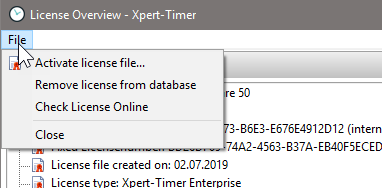
In the "License overview" dialog, you then have the option of performing further actions via the menu item. To activate the license, select "Activate license."
You can explicitly request a license file if you do not have an Internet connection on your PC.
In the license overview, you can see which modules are available to you and how many employees are registered for Xpert-Timer. In the demo version, you have a total of 30 days of trial time, 1 or 10 users (depending on what you specified during installation), and 2 synchronization licenses. All information can also be found in the "License Overview" dialog.
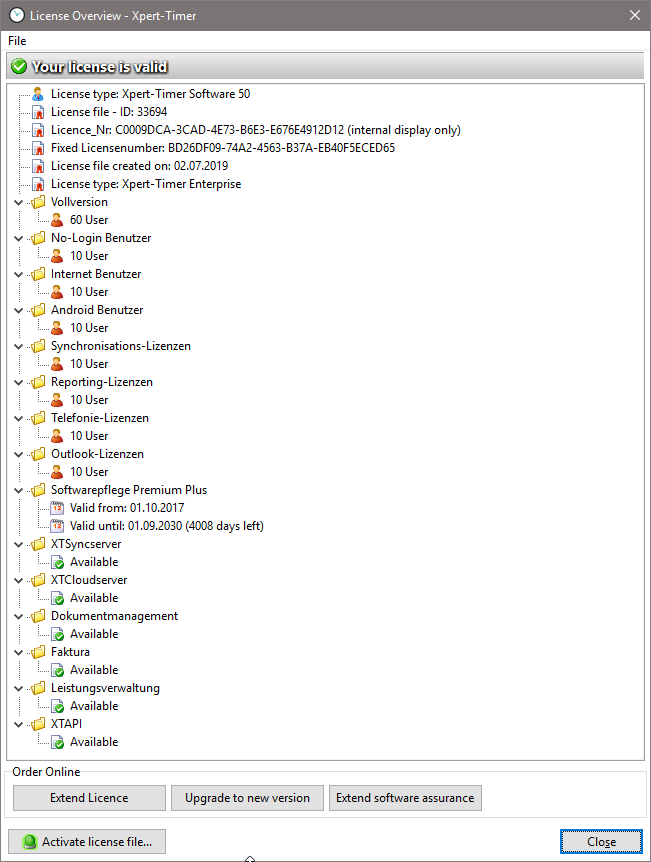
You can use the license management to purchase additional products for your Xpert-Timer, obtain an update, or extend your software maintenance. Simply use the corresponding buttons to do this.