You can access invoice management via the menu item Window and the sub-item "Invoicing."

In invoice management, you will see an overview of all invoices created under the "Invoices" tab. Several filter and grouping options allow you to customize the view and print it if necessary. This allows you to always keep track of open or already paid invoices.
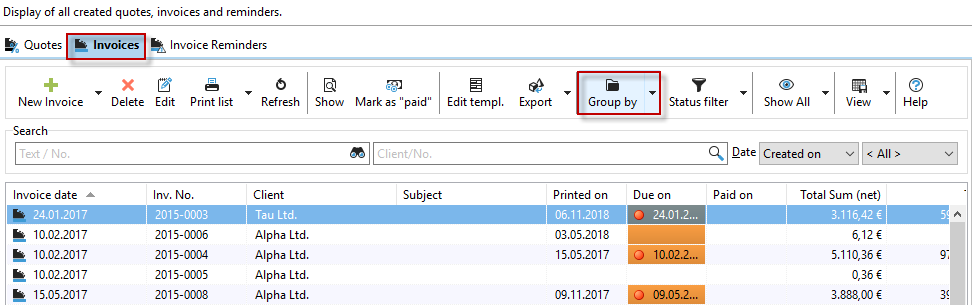
You can now print multiple invoices at once using multiple selection.
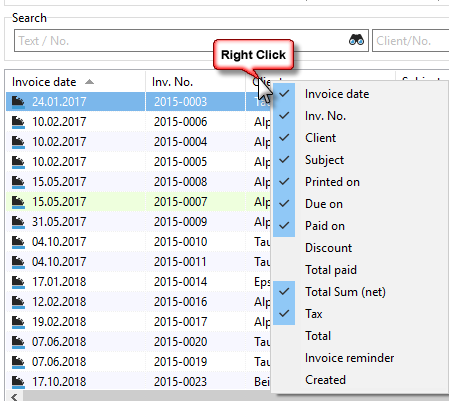
Columns can be shown or hidden as usual by right-clicking on a column header.
Note the "PDF export" button in an open invoice, where you can save invoices as PDF files.

You can read about the invoicing options available and how to create/edit an invoice in the following chapters: